




Editor Harness for Mac
All of the craft. None of the grind.
The professional video editor for Mac that works with the agent you already use. Your agent takes the chores. You make the calls.
Free for 7 days. For a Mac with Apple silicon and macOS 27 or later. Works with Claude Code, Codex and agents that support MCP.
 Serve
 Bridge
 Hummingbird
 Window
 Moonrise
 Editor
Sc. 1The grind
Most of editing isn't editing.
It's the hours before and after the part you love: the captions, the syncing, the levels, the checks. Hand those over. Where your agent makes a first pass, the finish is yours.
- Caption every lineMade on your Mac from the dialogueHanded off
- Sync the camerasLined up by their soundHanded off
- Flag the words nobody's sure ofWith how sure it was of eachHanded off
- Sit the music under the voiceYour agent drafts it, you set itFirst pass · you mix
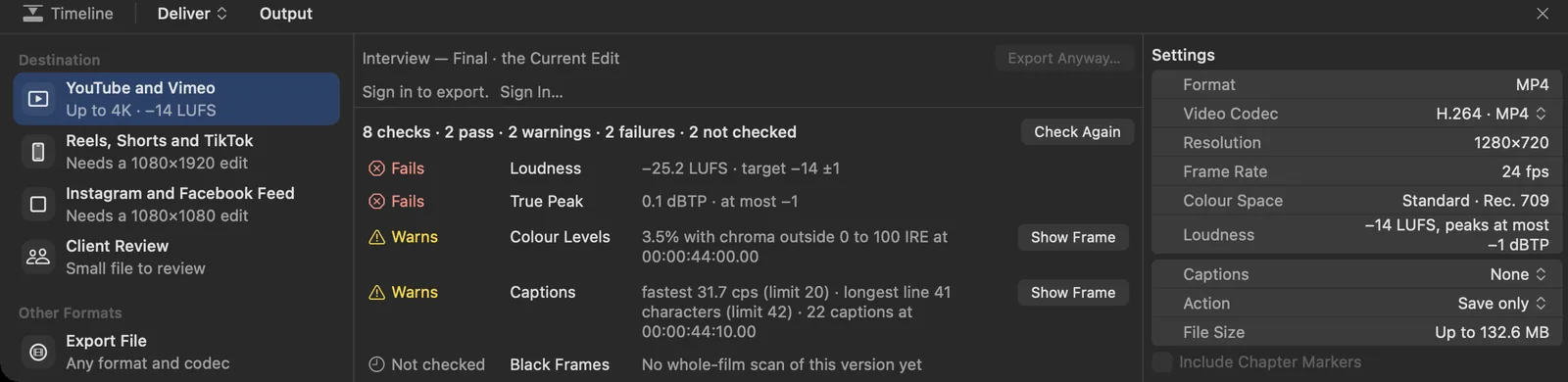
- Check loudness for every destinationPass, warning or fail, before it goes outHanded off
- Choose the take. Tell the story.The part you came forYours
Sc. 2The usual ways
Do it all yourself, or give it all away.
Most videos get made one of two ways. Edit by hand and keep every decision, along with every chore. Or hand it to an app that makes it for you, and let the app decide more of it.
A traditional editor
By hand
All of the craft. All of the grind.
- Caption, sync and loudness tools are there, and you run each one yourself
- Every version is yours to set up and check
- The craft gets whatever hours are left
An AI video app
Hand it over
None of the grind. Less of the craft.
- Describe it and get a cut back
- Made for a quick cut more than a frame-accurate finish
- Fewer of the tools a finished film needs
A professional editor, with your agent
Editor Harness
All of the craft. None of the grind.
- Timeline, colour, sound and captions, all there
- Your agent takes the chores, in plain sight
- You make the calls, and every change is yours to keep
Sc. 3The window
One window. Every room.
Everything where an editor expects it: media on the left, the picture in the middle, the tools for the job on the right and the timeline along the bottom. If you know Final Cut or Resolve, you already know your way round.
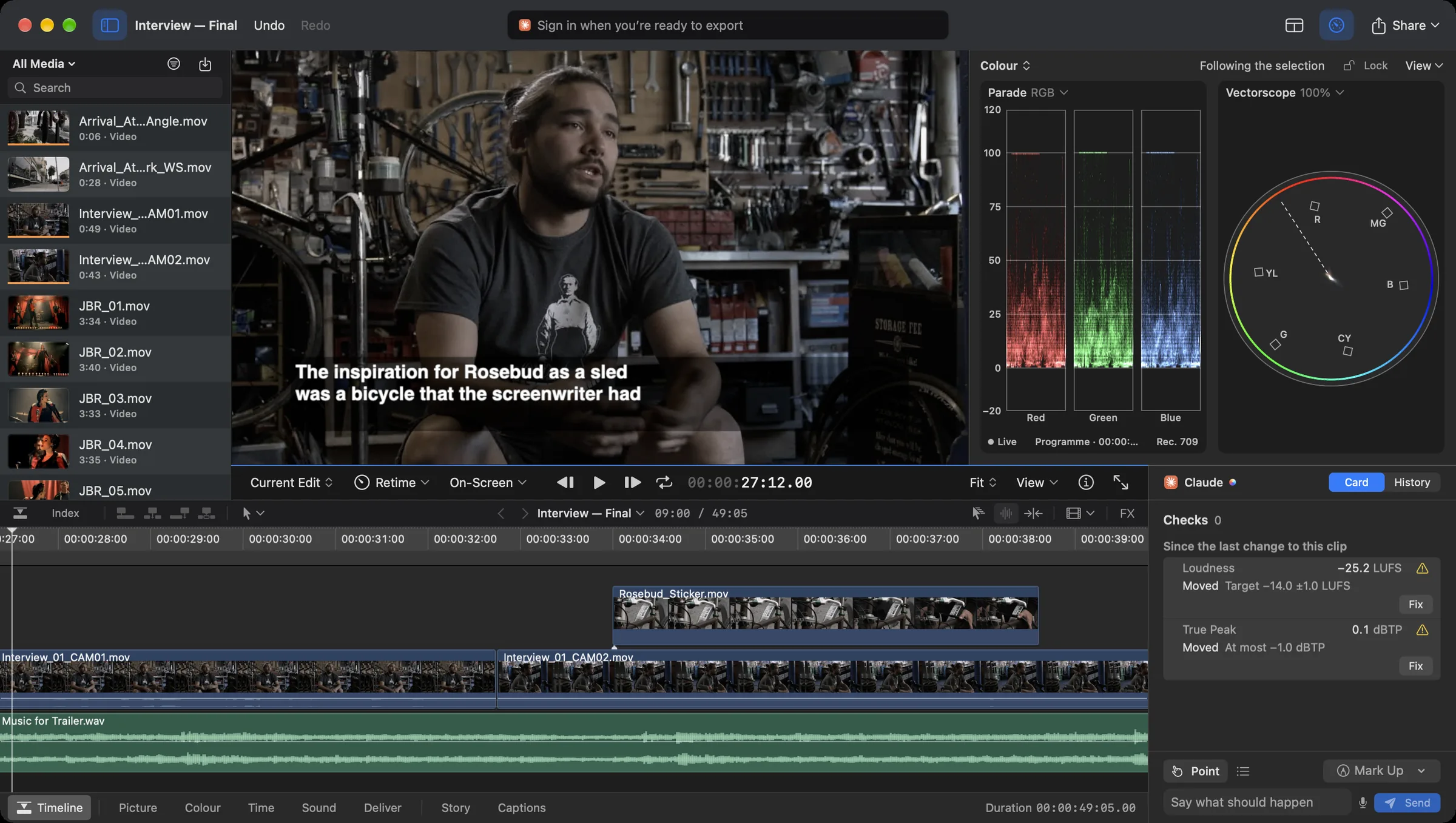
- Media. Every clip in the project, with search.
- Viewer. The picture, as large as the window allows.
- Scopes. RGB parade and vectorscope beside the picture.
- Timeline. Picture, B-roll and music, with the Index a click away.
- Rooms. Picture, Colour, Sound, Deliver and Captions, a tab apart under the timeline.
- Your agent. Point, say what should happen, send.
Sc. 4The cut
Cut to the frame.
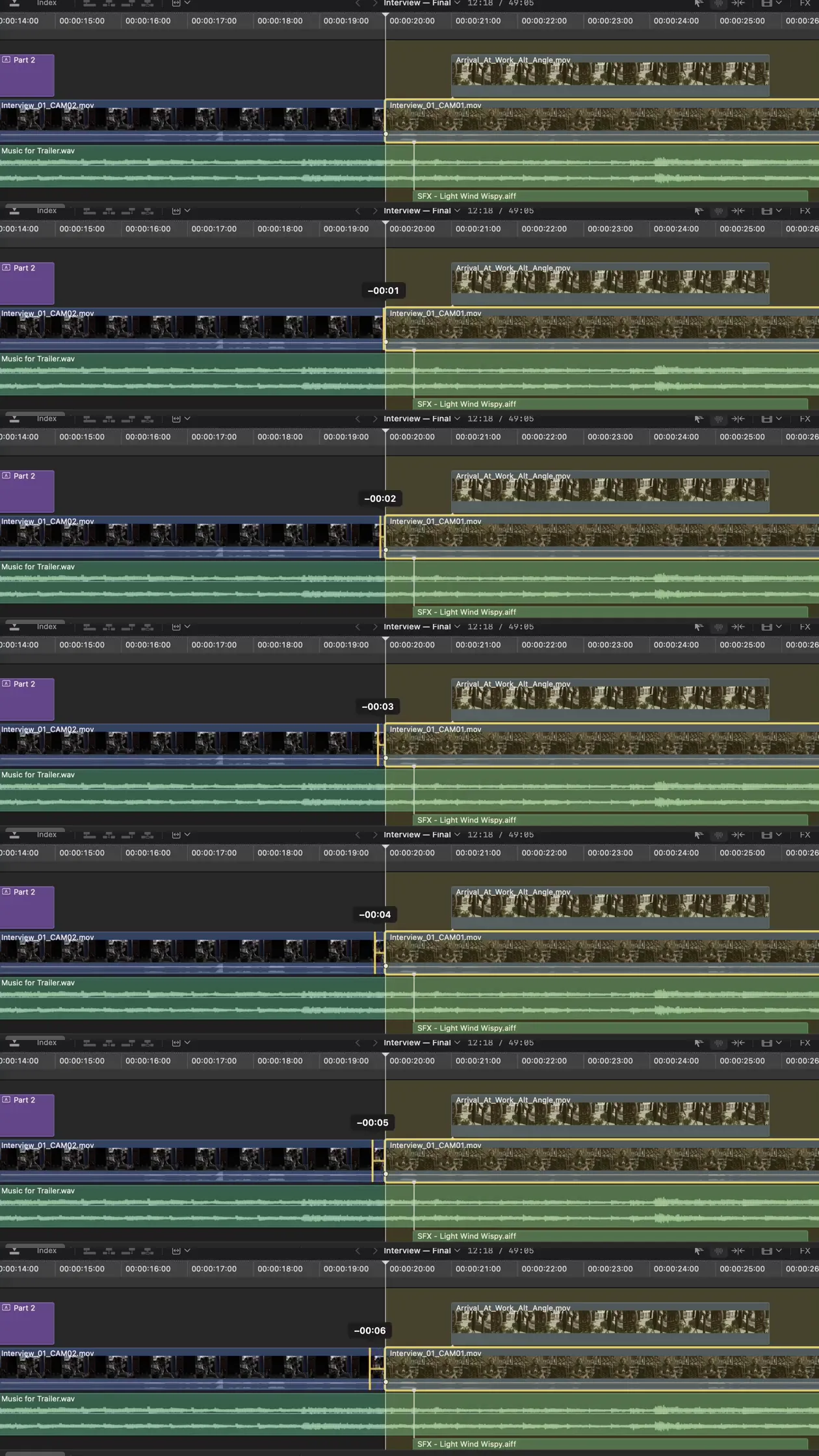
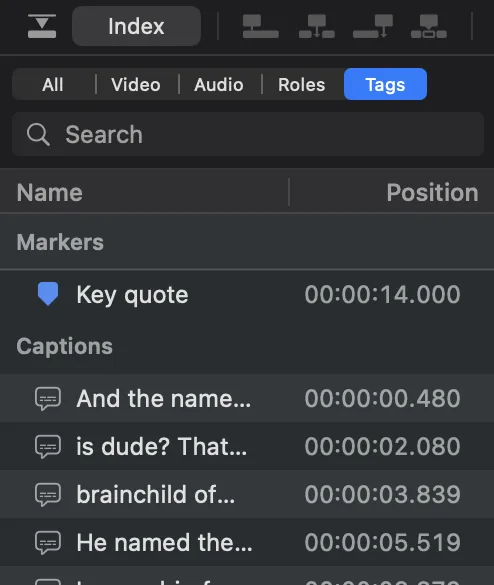
Drag an edit and the readout counts the frames as you go. Retime a clip from the bar above it. Open the Index for every marker and caption, grouped by type and each in time order.

Sc. 5Picture
The shot comes first.
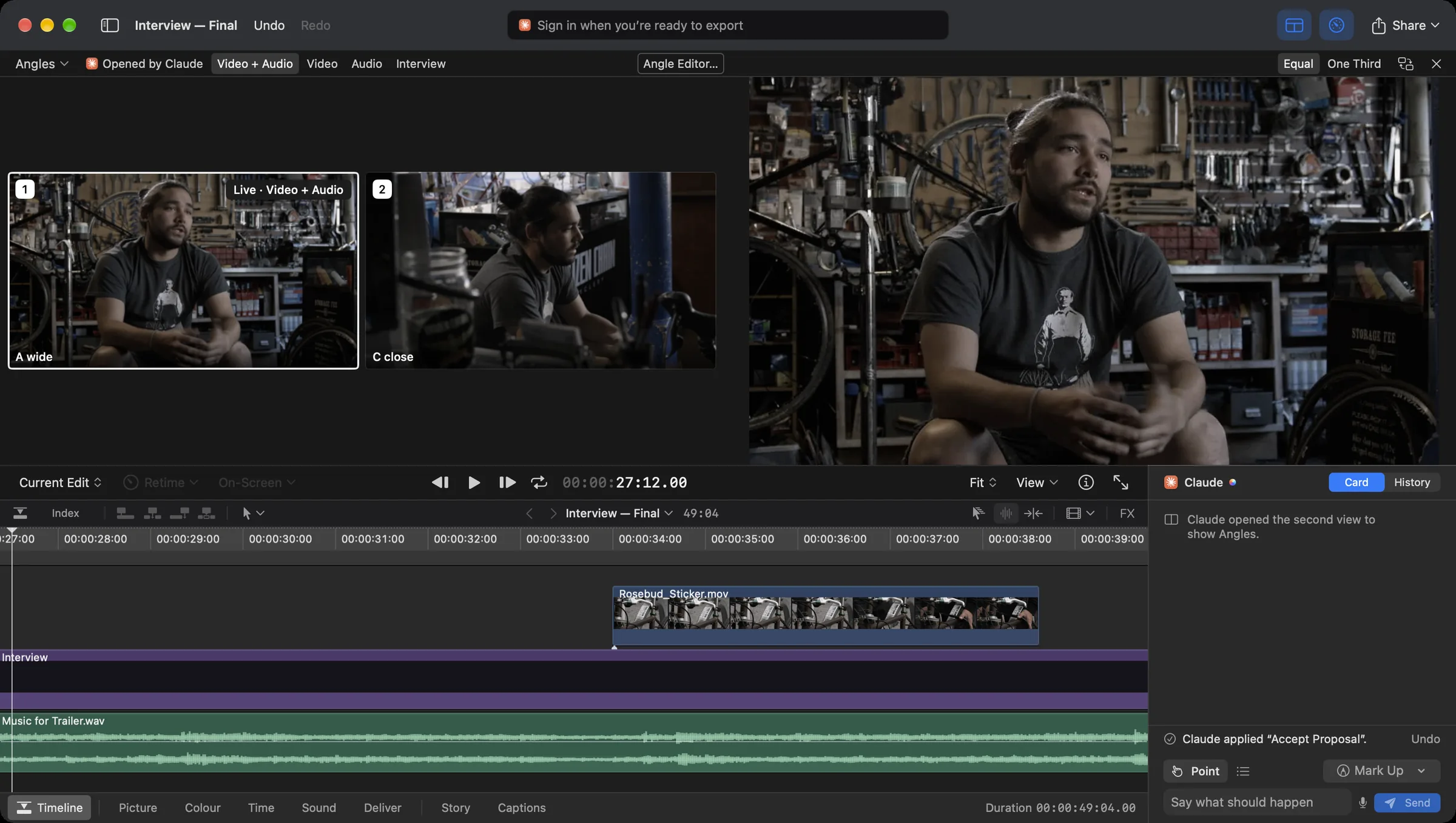
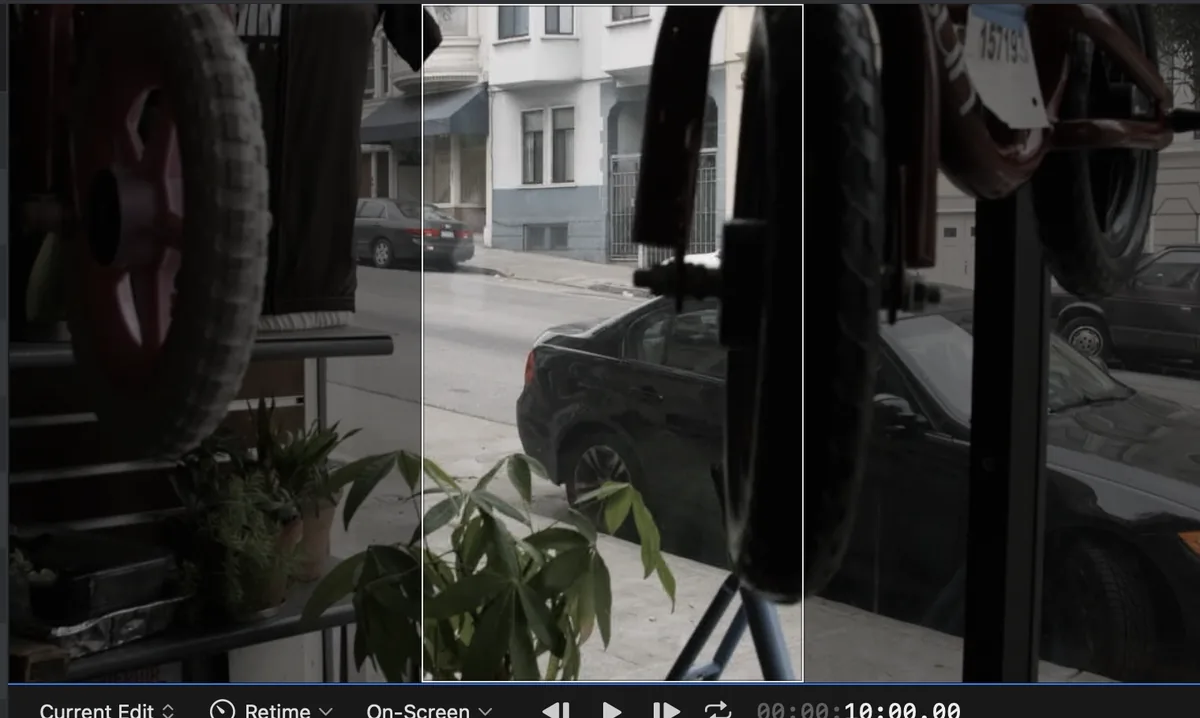
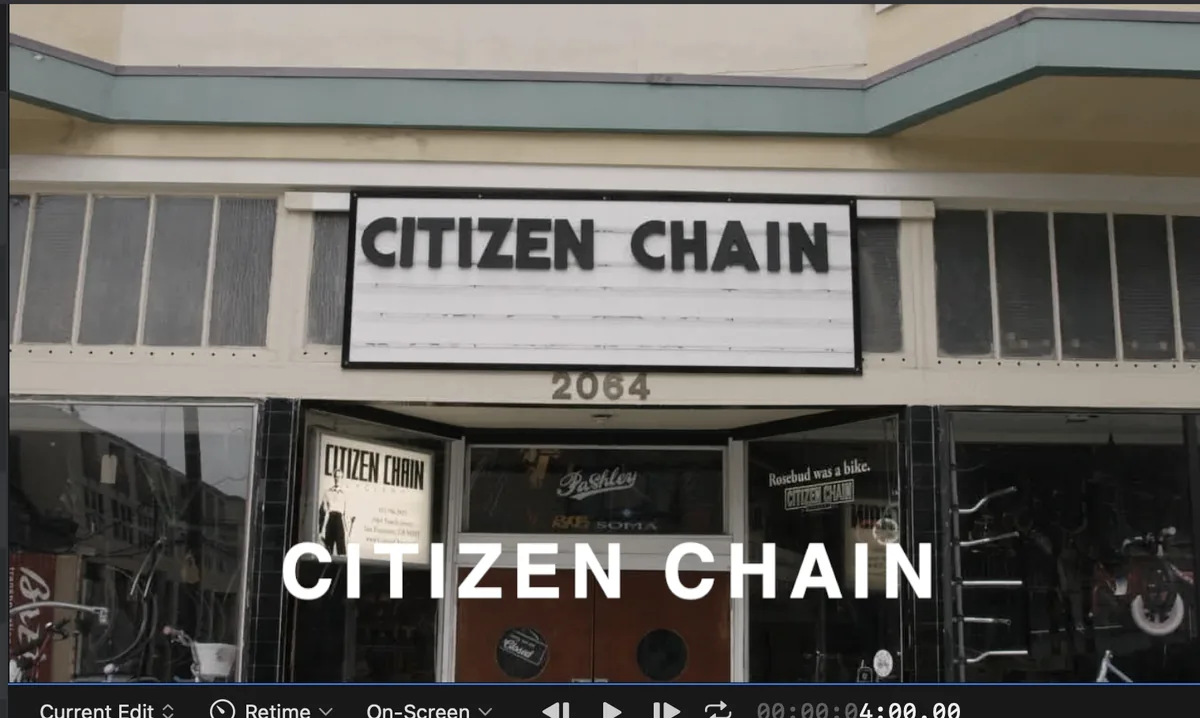
The viewer is the biggest thing on screen, because the picture is what you judge. Open a multicamera clip's angles beside it, frame for vertical and set titles without leaving the room.
Sc. 6Colour
Grade by eye. Check by scope.
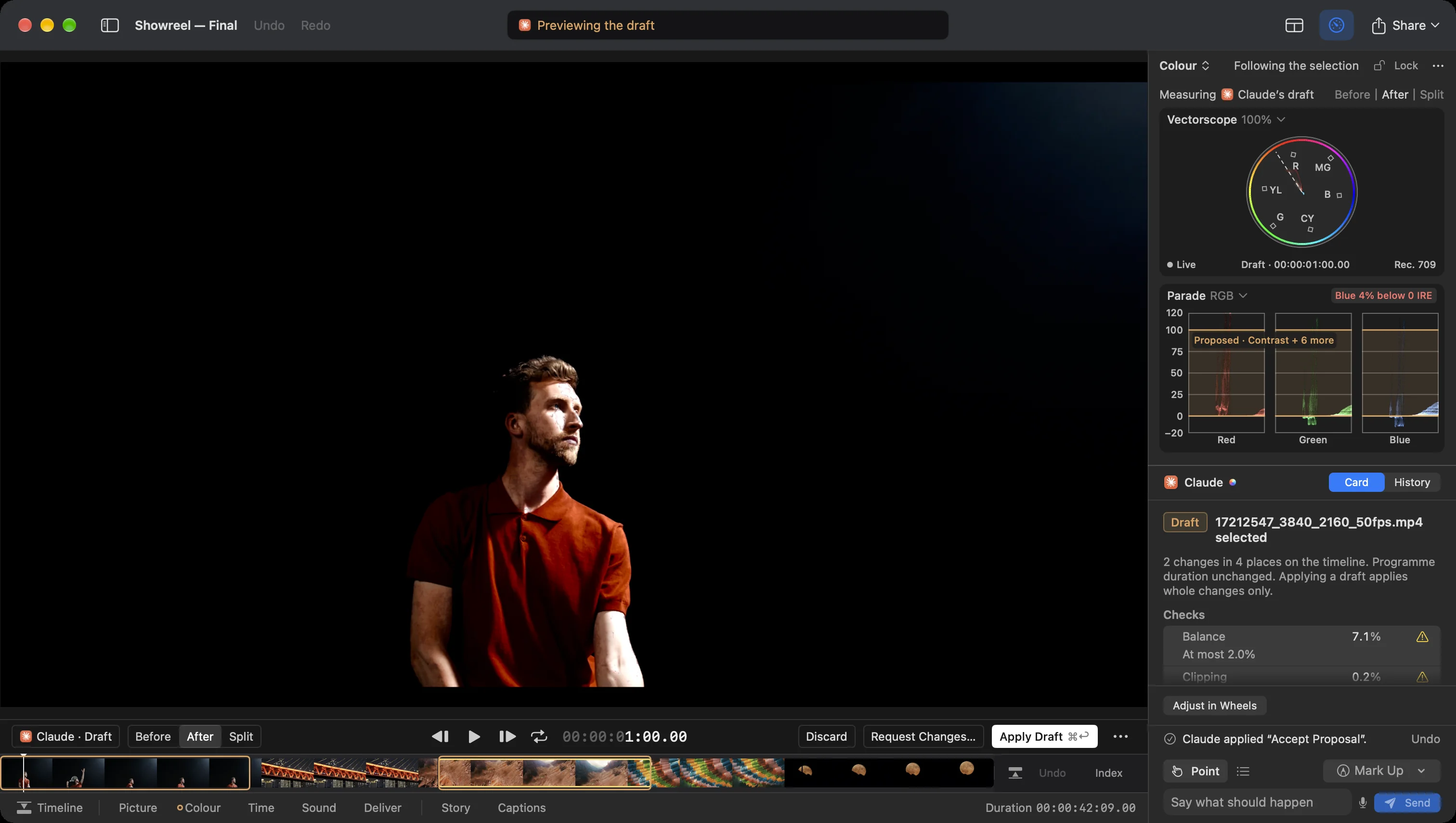
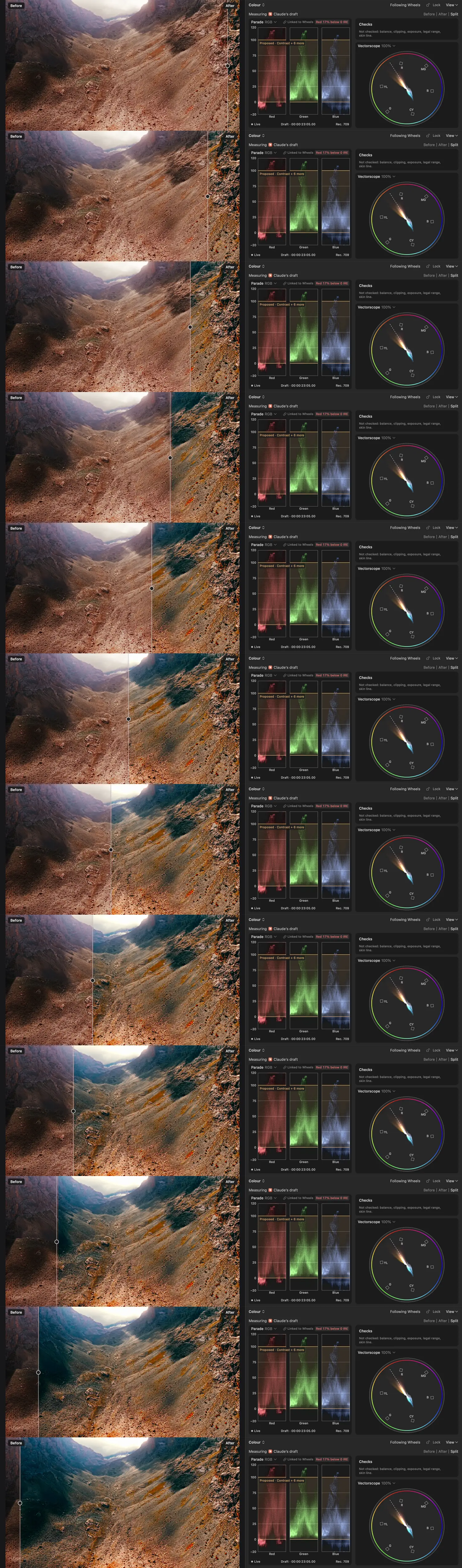
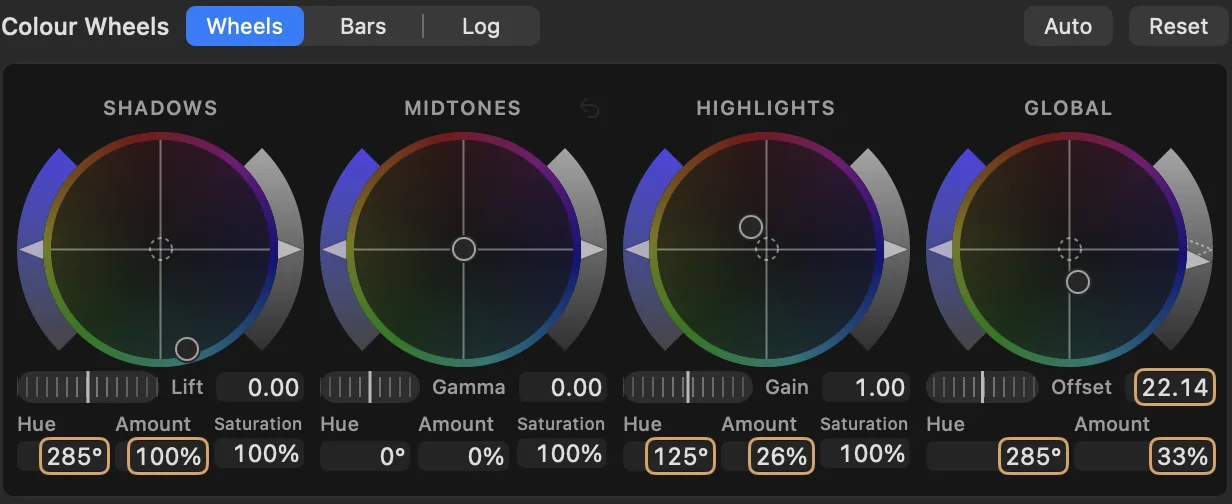
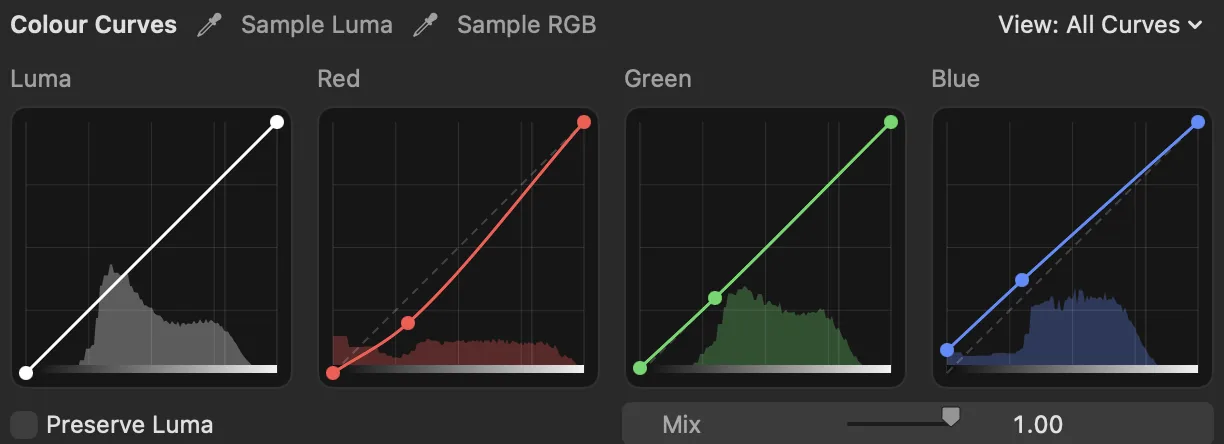
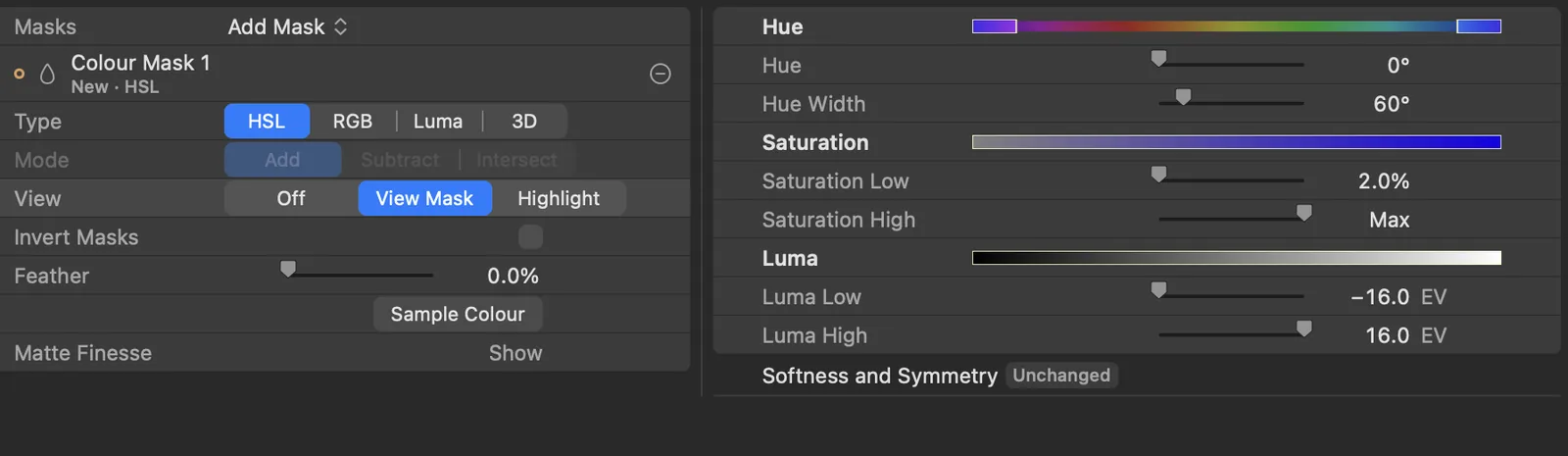
Wheels, curves and a qualifier, with the parade and vectorscope beside the picture they measure. Compare before and after, or split the picture, to see exactly what the grade did.
Sc. 7Your agent
Bring the agent you live with.
Editor Harness works with Claude Code, Codex and agents that support MCP. Whichever you use, it does the chores beside the picture, where you can see it, and you make the calls.

dotsOpenAI, in Codex 
ClaudeAnthropic 
MuseMeta 
Grok BotxAI
Other agents that support MCP can connect too. Names and characters belong to their makers and appear here to show which agents people use, not as an endorsement.
Sc. 8In plain sight
Hand off the chores. Keep the calls.
The agent you already use for your work can now do the chores in your edit, beside the picture, where you can see it.
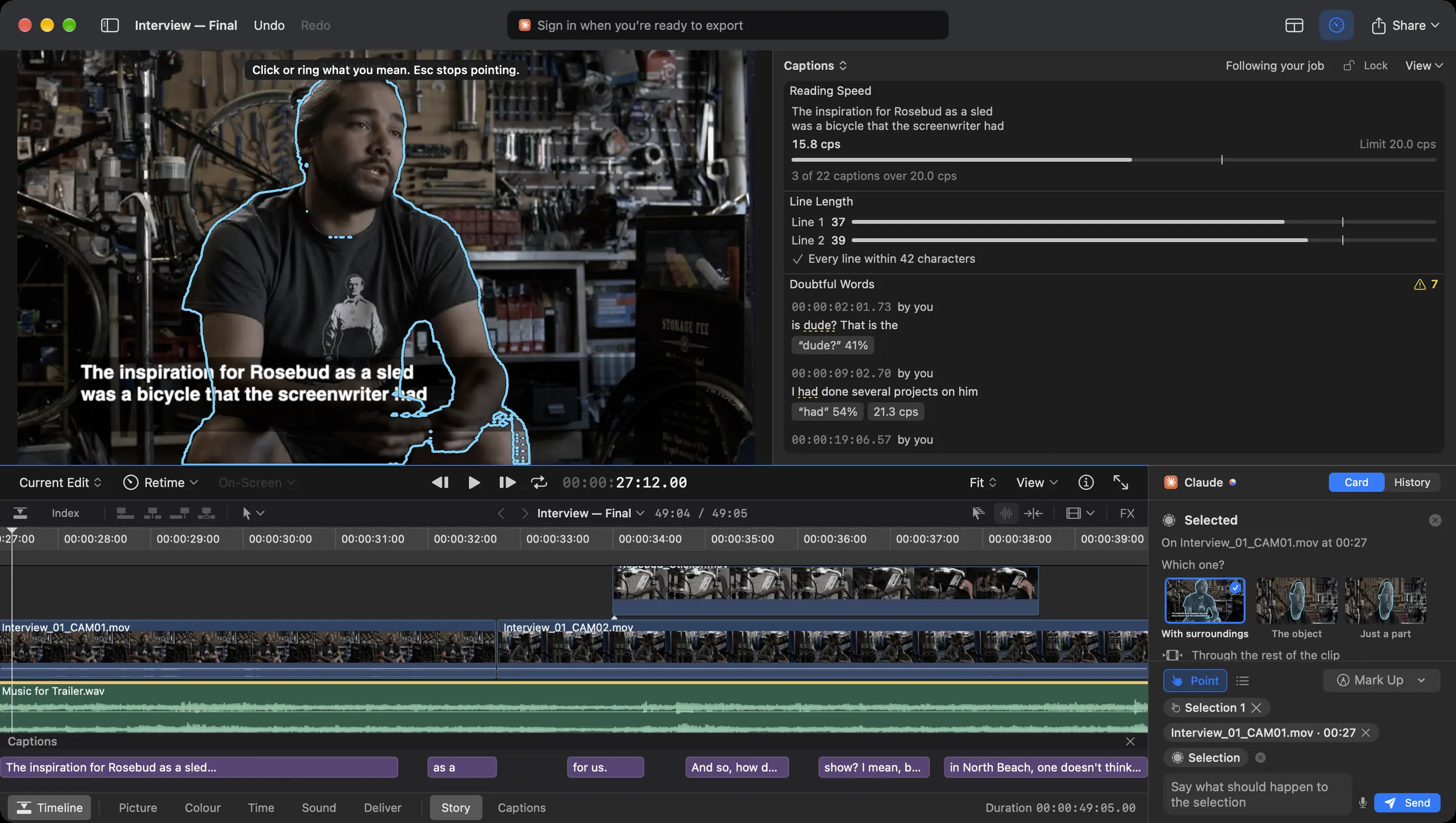
Point.
Press Point, then click or ring what you mean: a person, an object, a clip. “Him” means him.
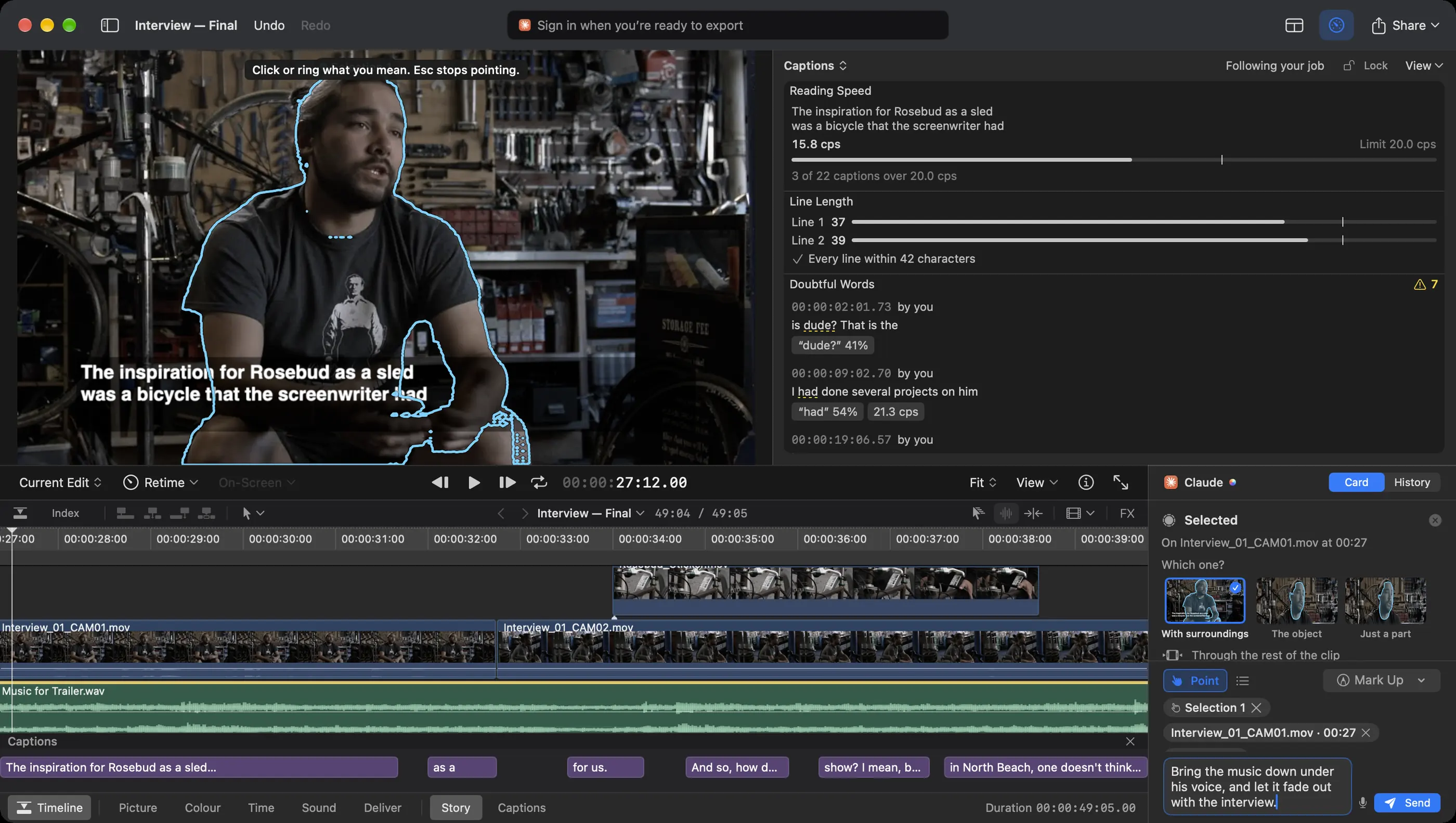
Type it.
Type what should happen, the way you'd say it to an editor in the room. If it isn't clear which part you meant, it asks.
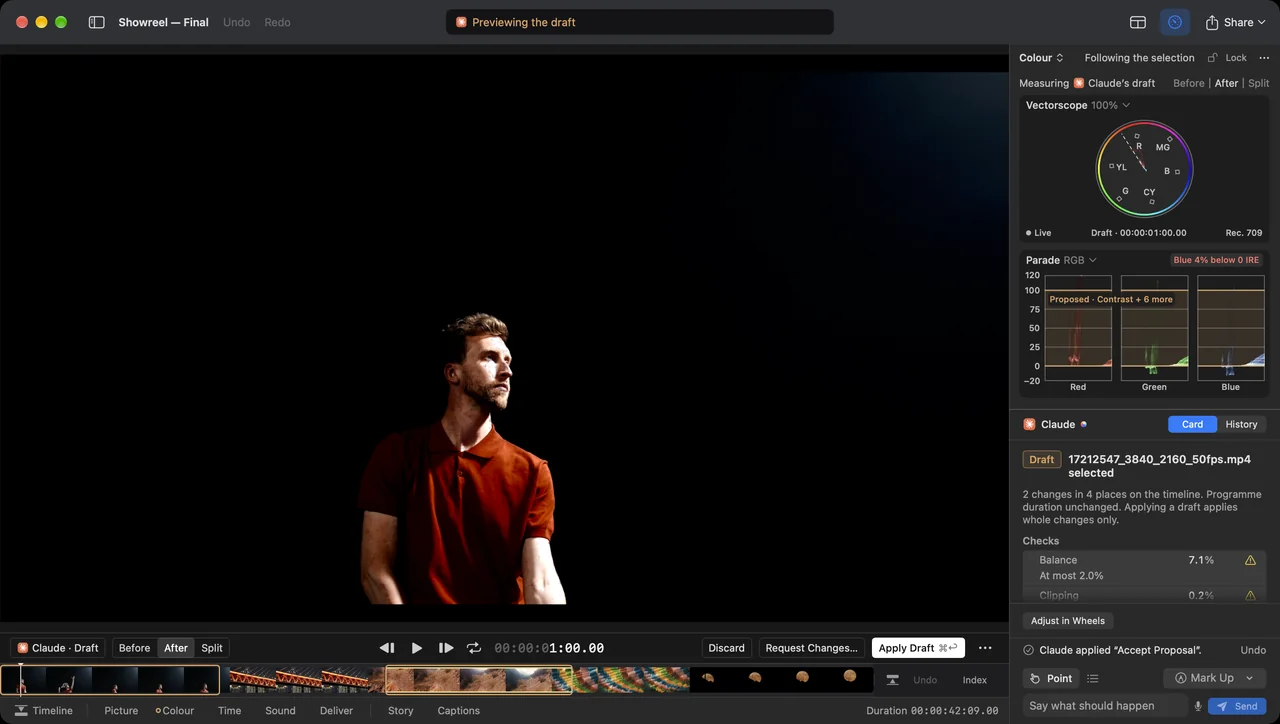
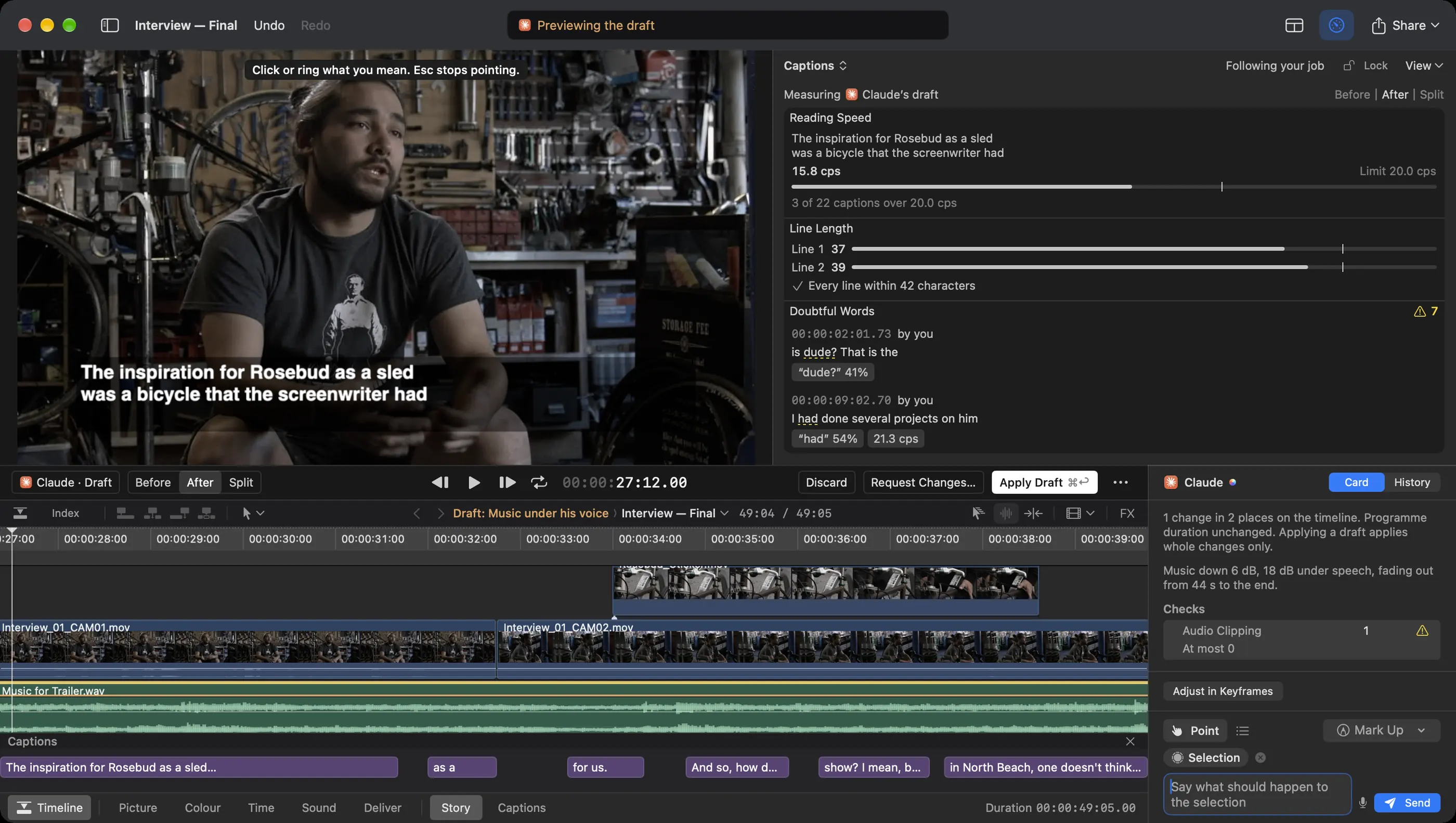
Review the draft.
The draft says what it changes and where. Compare Before, After or Split, then apply it, ask for changes or discard it.
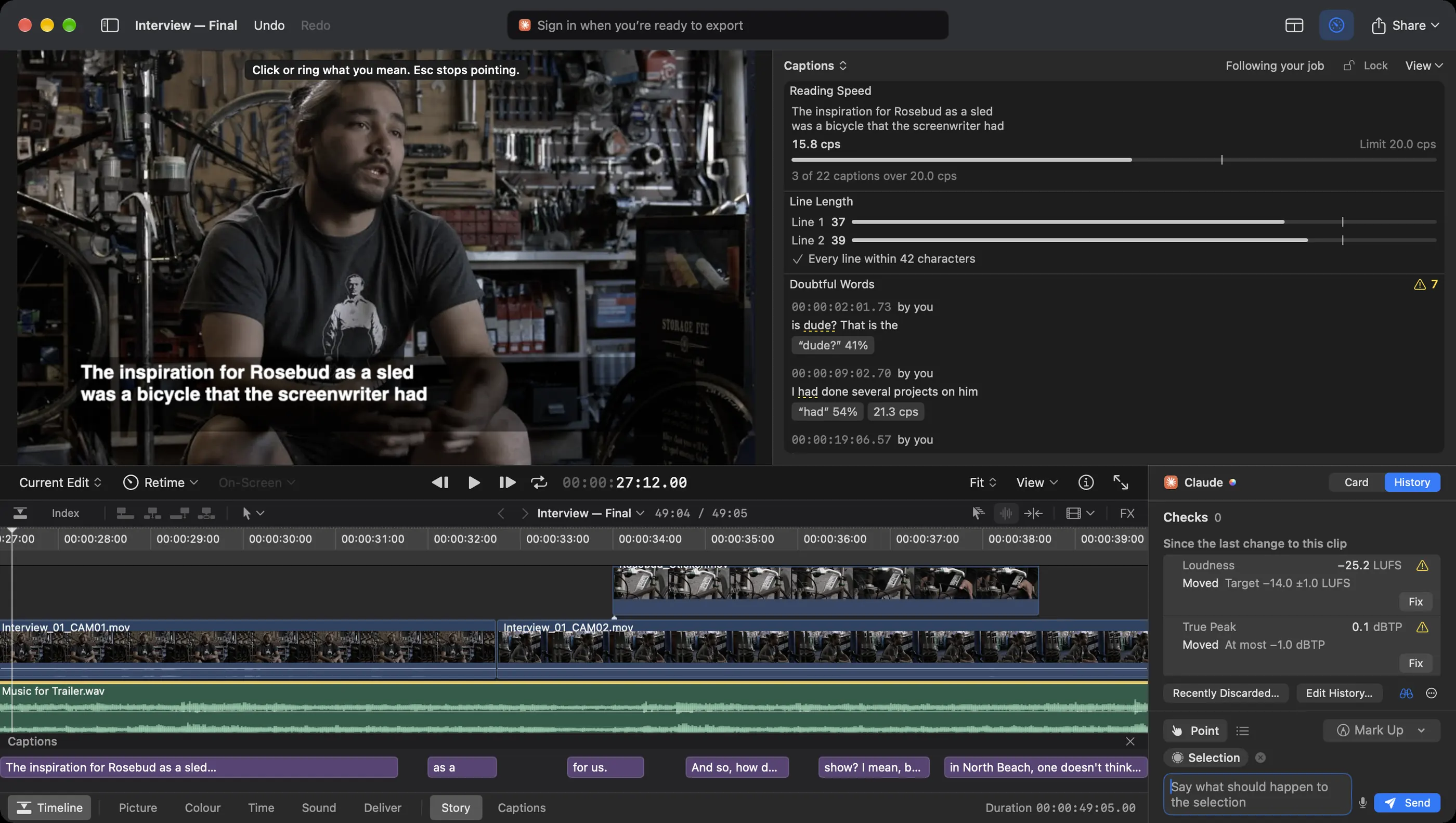
Check it.
Checks shows what moved since the change. Here the music came down, the programme went from −23.8 to −25.2 LUFS against a −14 target and true peak went over, so it flags both, with Fix beside each.
Correct something your agent did and it leaves your fix alone until you hand it back. Want every change to wait for you? Turn on “Don't let it apply its own drafts” in Settings.
Sc. 9Sound
Know where the mix stands.
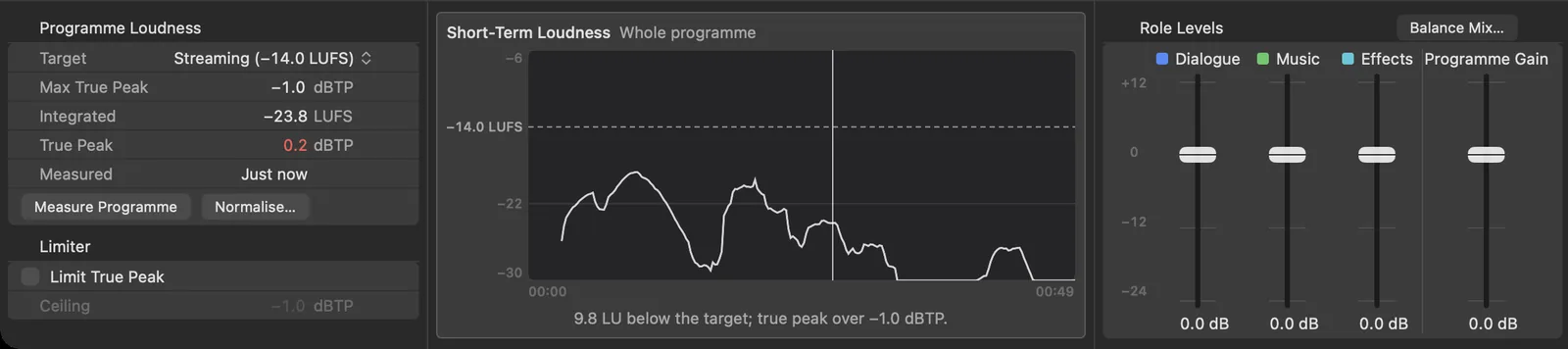
Set levels by role, for dialogue, music and effects. Programme loudness and true peak are measured against the target you choose, and short-term loudness is drawn across the whole programme, so you can see how far off the target it is and where.
Sc. 10Captions
Every word, checked.
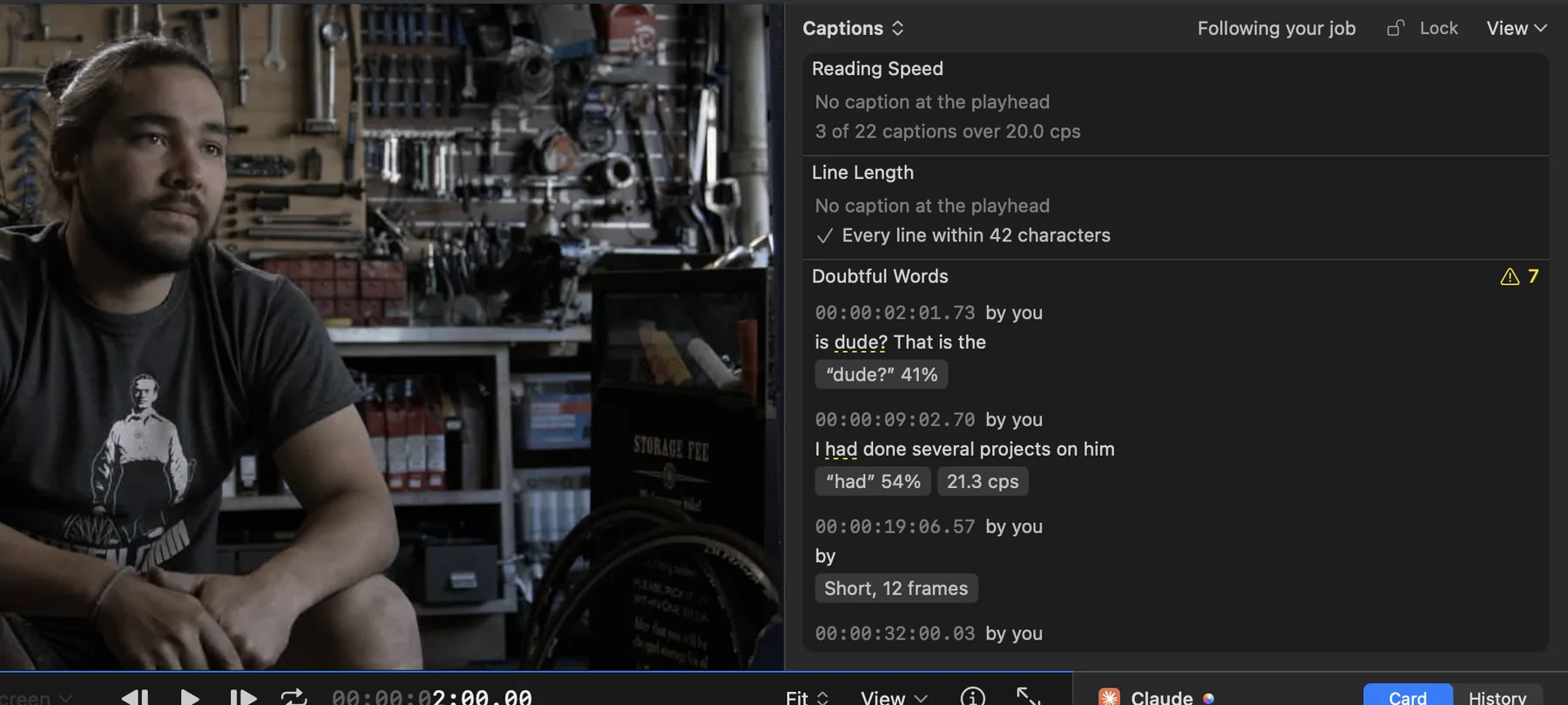
Captions are made on your Mac from the dialogue. Reading speed and line length are checked against your limits.
Words it wasn't sure of are listed with how sure it was, so you know which ones to listen to again.
Sc. 11Questions
Before you download.
The things people ask first.
Do I need to know how to edit?
It helps, and it isn't required. If you've cut before, the timeline, scopes and shortcuts you know are here. If you haven't, point at the picture and type what you want, and your agent does the operating while you make the calls.
Do I need another AI subscription?
No. Editor Harness works with the agent you already use, such as Claude Code or Codex, on your own plan with its provider.
Does my footage leave my Mac?
Your footage and projects stay on your Mac. What your agent reads, such as a frame or a transcript, goes to its provider under your own account.
Will my agent undo my fixes?
Correct something your agent did and it leaves your fix alone until you hand it back. Want every change to wait for you? Turn on “Don't let it apply its own drafts” in Settings.
Can I export a finished film today?
Yes, during your 7-day trial and with a subscription.
Which Macs does it run on?
Editor Harness needs a Mac with Apple silicon and macOS 27 or later.
Editor Harness for Mac
Make the film in your head.
Free for 7 days, no card needed. Then US$9.99 a month, before any local tax, for use on two Macs. Nothing is charged automatically when your trial ends. To keep going, subscribe from your account page, and cancel any time.
Requires a Mac with Apple silicon and macOS 27 or later. Works with Claude Code, Codex and agents that support MCP, on your own plan with their provider. Final export needs a current trial or subscription.
Your footage and projects stay on your Mac. What your agent reads, such as a frame or a transcript, goes to its provider under your own account.
On this page: Editor Harness for Mac with sample footage. The films in the opening sequence and the graded shots in Colour are stock footage.